
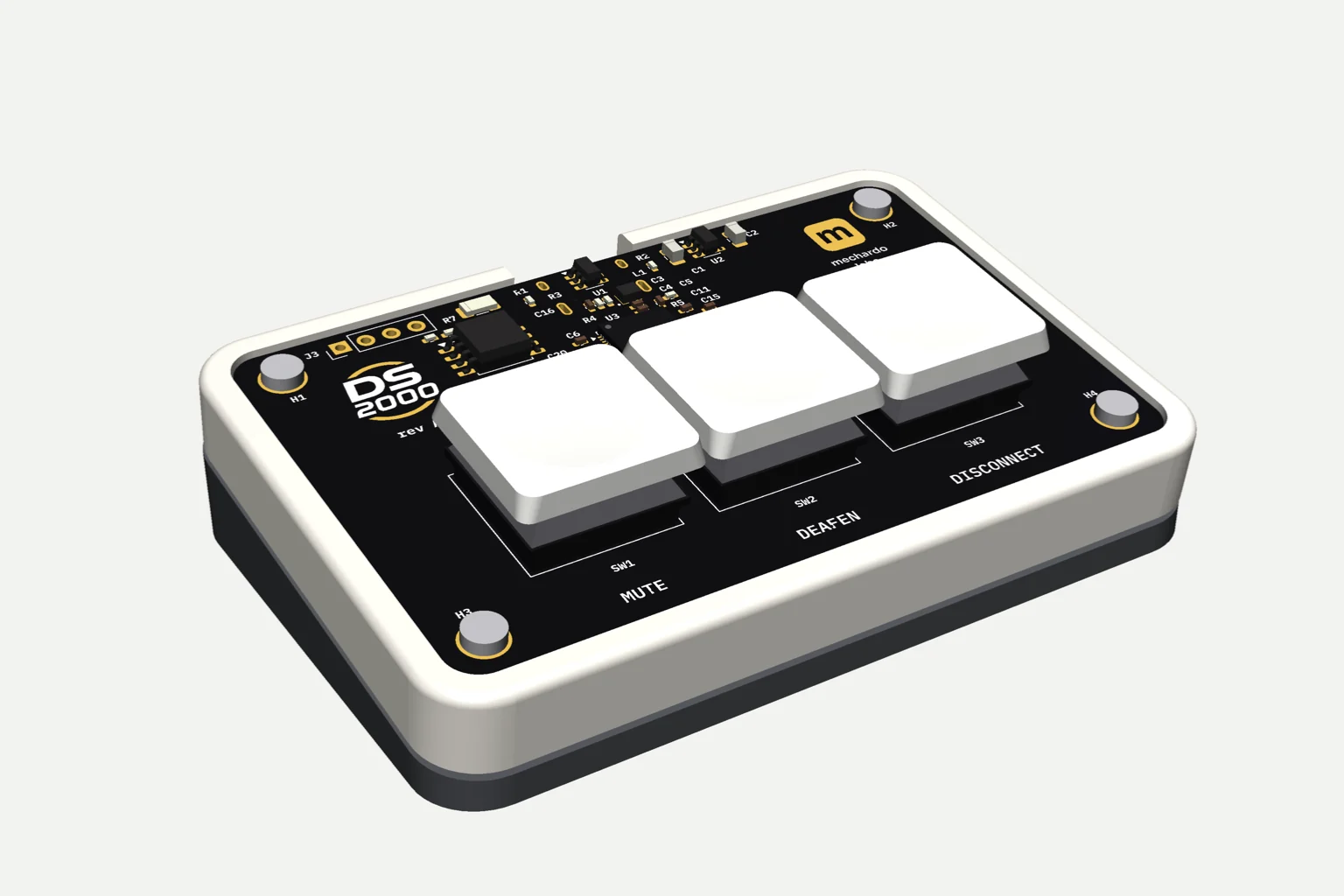
Fig. 1 — DS2000 front view · Cream 1 / 4

Part no. DS2000 USB button box
DS2000 Discord Button Box
Control your communications with the DS2000, a USB button box with 3 buttons and 2 RGB LEDs designed to mute/unmute, deafen/undeafen, and disconnect from channels in Discord.
- K1 · K2 · K3
- Mute · Deaf · Disconnect
- LED 1 · LED 2
- RGB
- Connection
- USB-C
Windows 10/11 · macOS 10.15+ · Linux
Main Features
Intuitive Control
Three programmable buttons to mute/unmute, deafen/undeafen, and disconnect from channels, ideal for streaming and virtual meetings.
Customizable RGB LEDs
Two RGB LEDs to indicate status or customize with colors according to your configuration.
USB-C Connection
Connect the DS2000 to your computer via USB-C and use it without complications on Windows, macOS, or Linux.
Compact Design
Ergonomic and portable size to integrate perfectly into your setup.
Technical Specifications
| Connection | USB-C · USB 2.0 |
|---|---|
| Buttons | 3 programmable buttons (mute/unmute, deafen/undeafen, disconnect) |
| Indicators | 2 configurable RGB LEDs |
| Compatibility | Windows 10/11, macOS 10.15+, Linux (Ubuntu, Fedora) |
| Dimensions | 10 × 5 × 2 cm |
| Weight | 150 g |
| Material | High resistance ABS plastic |
| Software | Optional drivers for advanced customization |
Drivers and Software
Download the drivers and configuration software to customize your DS2000.
Frequently Asked Questions
Is it compatible with Discord?
Yes, the DS2000 is designed to integrate with applications like Discord allowing you to control audio and connection functions.
Do I need to install drivers?
Yes, the DS2000 software contains the device drivers.
Can I use the DS2000 on Linux?
Yes, it is compatible with distributions like Ubuntu and Fedora using the driver software.