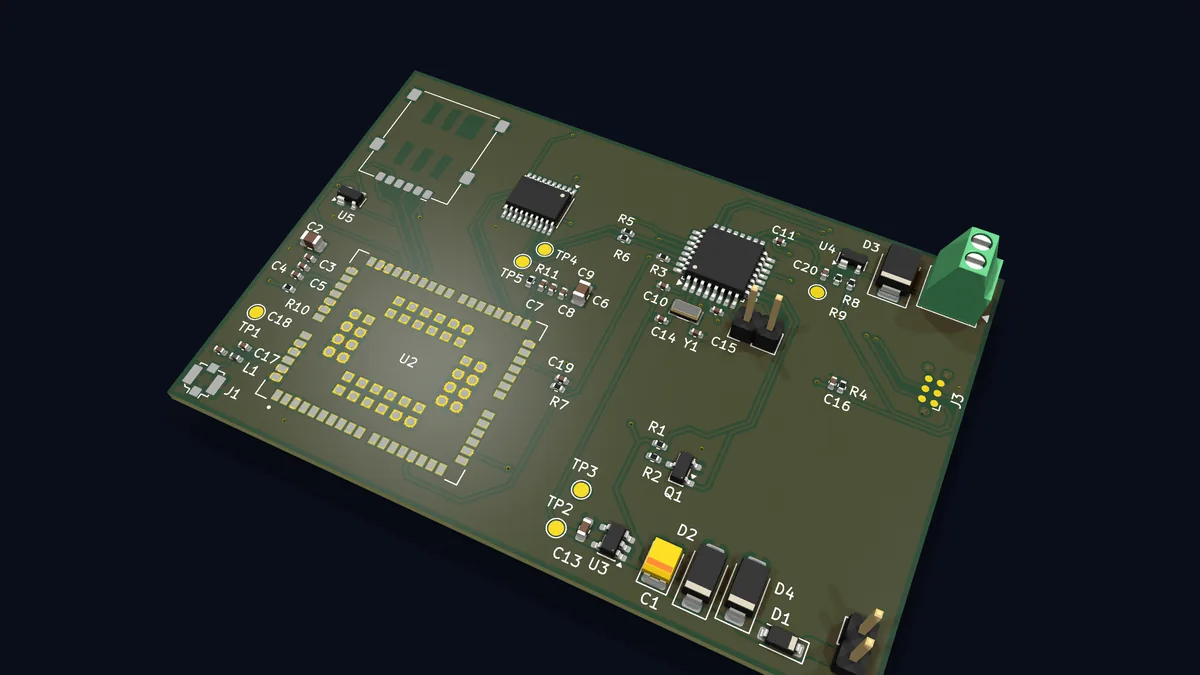
At Mechardo Labs, I'm passionate about creating innovative IoT solutions that seamlessly integrate hardware and software. In my home, I found an inactive old alarm system, with sensors and sirens whose connections converged at a central point. Leveraging this infrastructure, I designed an advanced IoT alarm system using an MQTT broker, an ESP32 board with ESPHome for hardware management, and a Rust bridge to provide a robust interface. This system enables real-time notifications (for example, via Telegram), combining reliability, scalability, and an optimized user experience.
Connections
The mqtt-IOT-alarm project is an MQTT-based IoT alarm system designed to monitor three motion sensors distributed around the house and two door opening sensors, one in front and one in back. All these sensors connect to an ESP32 with USB Type-C connector (an adapter was used for proper reading).
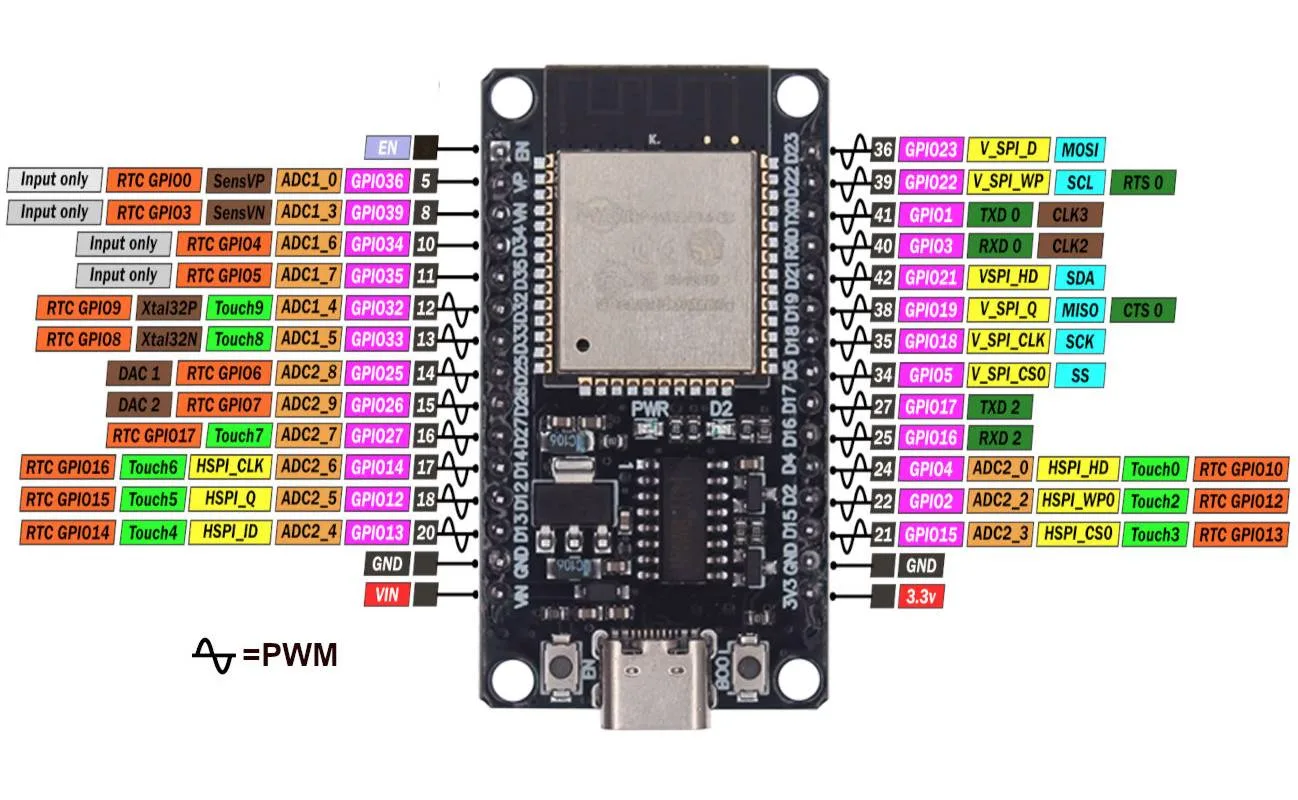
To adapt the sensor connection, a 12V power supply is required, and since the sensors function as switches, the output voltage is reduced so the ESP32 can read it correctly. A resistive divider was used at the sensor output (reducing to 3.3V) and a capacitor was added as a low-pass filter. For the sirens, a pair of relays were used to act as signal decoupling. Finally, a wireless doorbell receiver was connected directly to the board.
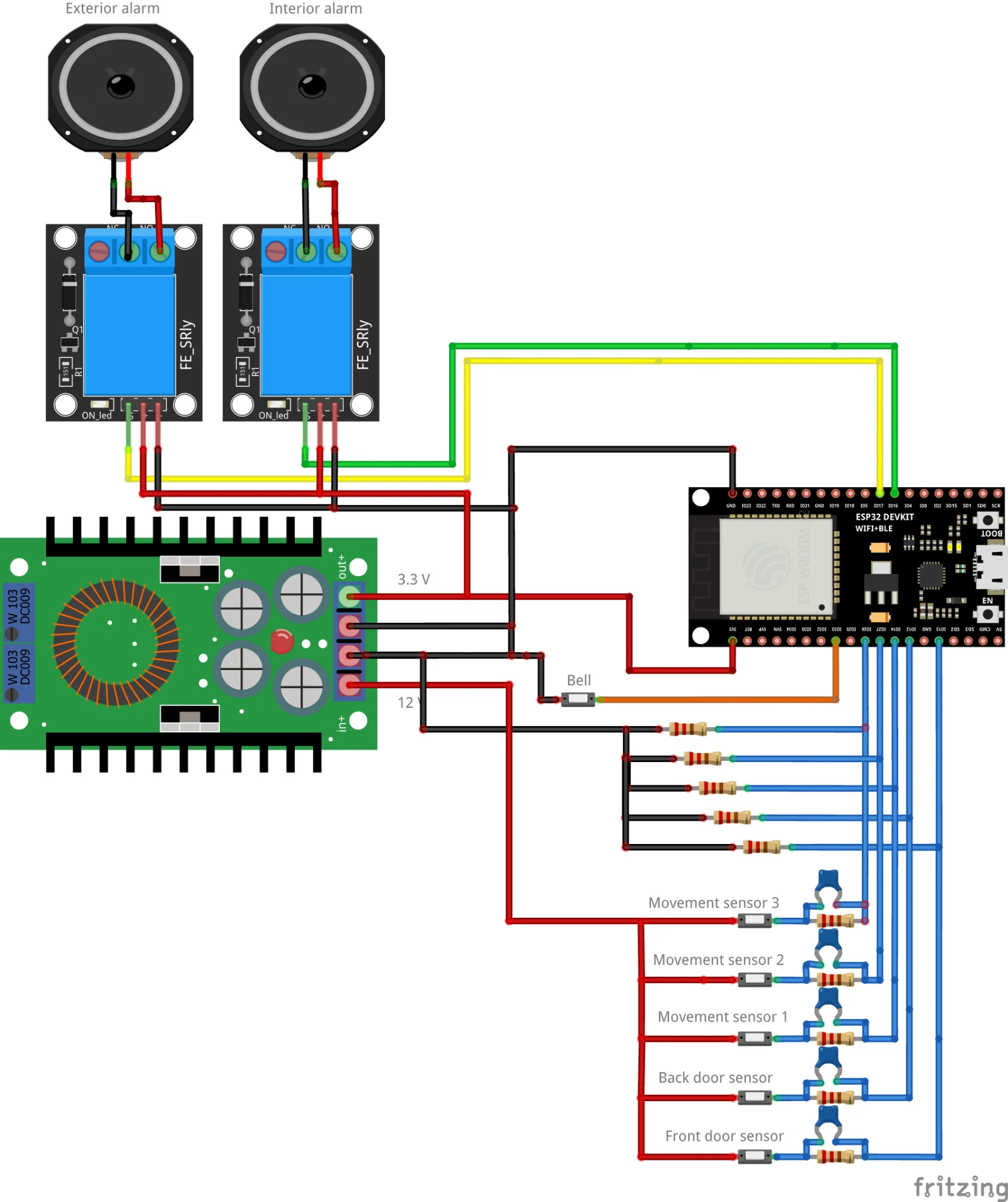
Pins used
- Pin 16: Exterior siren
- Pin 17: Interior siren
- Pin 33: Wireless doorbell
- Pin 13: Front door sensor
- Pin 12: Back door sensor
- Pin 14: Motion sensor 1
- Pin 27: Motion sensor 2
- Pin 26: Motion sensor 3
Programming the ESP32 with ESPHome
Why ESPHome?
ESPHome is an open-source platform that simplifies programming ESP32 and ESP8266 devices for IoT applications. Its YAML-based configuration allowed us to quickly define sensors and actuators without writing low-level C++ code. Additionally, ESPHome easily integrates with MQTT and allows OTA (over the air) updates.
ESP32 Configuration
esphome:
  name: esp32-mqtt-alarm
esp32:
  board: esp32dev

wifi:
  ssid: "wifi-ssid"
  password: "wifi-password"

logger:
api:
 ota:
  platform: esphome

mqtt:
  broker: "192.168.100.2"
  port: 1883

on_message:
  - topic: "alarm/exterior"
payload: "ON"
then:
  - logger.log: "Activating EXTERIOR siren (GPIO16)"
  - output.turn_on: pin16
  - topic: "alarm/exterior"
payload: "OFF"
then:
  - logger.log: "Deactivating EXTERIOR siren (GPIO16)"
  - output.turn_off: pin16

  - topic: "alarm/interior"
payload: "ON"
then:
  - logger.log: "Activating INTERIOR siren (GPIO17)"
  - output.turn_on: pin17
  - topic: "alarm/interior"
payload: "OFF"
then:
  - logger.log: "Deactivating INTERIOR siren (GPIO17)"
  - output.turn_off: pin17

output:
- platform: gpio
  pin: 16
  id: pin16
- platform: gpio
  pin: 17
  id: pin17

binary_sensor:
- platform: gpio
  pin: 33
  name: "Bell Button"
  id: bell_button
  on_press:
- logger.log: "Doorbell button pressed. Publishing MQTT..."
- mqtt.publish:
    topic: "bell"
    payload: "ON"
This configuration publishes sensor events to the MQTT broker and allows remote control of the sirens via MQTT topics.
MQTT Bridge with Rust
The key software piece is a Rust program that acts as a bridge between the sensors/actuators and the users (me). The ESP32 sends sensor data via MQTT messages to the local broker (Mosquitto). The Rust program subscribes to topics of interest and executes defined logic each time it receives a message. Thanks to MQTT's pub/sub model, hardware and software are decoupled: devices publish data to the broker and the Rust service receives them by subscribing to those topics.
- MQTT Client in Rust (rumqttc): the bridge uses the
rumqttccrate to connect to the MQTT broker. Connection options (MqttOptions) are initialized, a client is created, and it subscribes to relevant topics (for examplealarm/motion,alarm/door). - Notification handling: the service can also send alerts to Telegram. This way, each event (like "Motion detected") is sent as a message to the user's configured chat. To be able to activate or deactivate the alarm, MQTT messages are sent through Home Assistant
- Concurrency and execution: the program runs under
tokio::main, launching a task that processeseventloop.poll()continuously and non-blocking. This allows handling multiple messages in parallel without affecting real-time response. - Security: the MQTT broker is configured with authentication and, optionally, TLS/SSL encryption. Additionally, the code can apply debounce mechanisms to avoid flooding the user with notifications during very frequent events.
Conclusion
The mqtt-IOT-alarm project was an exciting experience in building a completely local IoT alarm system. By combining Rust's performance in the MQTT bridge, ESPHome's simplicity on the ESP32, and Telegram's flexibility for notifications, we created a reliable and easy-to-use solution. This project demonstrates the power of integrating open-source tools with custom development to solve real home problems.